


Architecture 3D Modeling Basics: The Role of 3D Modeling in Architecture
- vnristic
- Jan 20
- 4 min read
When I first encountered 3D modeling in architecture, I was amazed by how it transformed the design process. It’s no longer just about sketches and blueprints. Today, 3D modeling brings ideas to life with precision and clarity. It helps architects, interior designers, real estate professionals, and developers visualize projects before a single brick is laid. This technology is a game-changer, making communication clearer and decisions smarter.
Let’s dive into why 3D modeling is essential in architecture and how it can elevate your projects.
Understanding Architecture 3D Modeling Basics
3D modeling in architecture is the process of creating a digital representation of a building or space. Unlike traditional 2D drawings, 3D models provide a realistic view of the structure from every angle. This allows you to explore the design in a virtual environment, making it easier to spot potential issues and improve the overall concept.
The basics include:
Creating a wireframe: This is the skeleton of the model, outlining the shape and structure.
Adding surfaces and textures: These give the model a realistic look, simulating materials like wood, glass, or concrete.
Lighting and shadows: These elements help visualize how natural and artificial light will interact with the space.
Rendering: This is the process of generating a photorealistic image or animation from the model.
By mastering these basics, you can create detailed and accurate models that communicate your vision effectively.
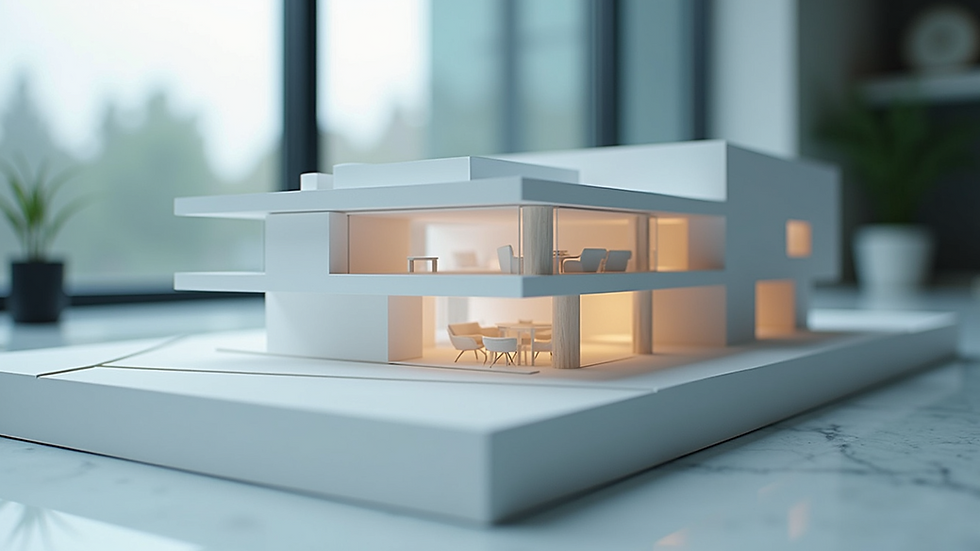
How 3D Modeling Enhances Design Accuracy and Efficiency
One of the biggest advantages of 3D modeling is the accuracy it brings to architectural design. When you work with 2D plans, it’s easy to misinterpret dimensions or overlook spatial relationships. A 3D model eliminates these risks by providing a clear, three-dimensional perspective.
Here’s how it improves accuracy and efficiency:
Detecting design flaws early: You can identify structural conflicts or design inconsistencies before construction begins.
Streamlining revisions: Changes are easier to implement and visualize, saving time and reducing errors.
Improving collaboration: Stakeholders can review the model and provide feedback, ensuring everyone is on the same page.
Facilitating cost estimation: Detailed models help in calculating material quantities and labor costs more precisely.
For example, when working on a mixed-use development, I used 3D modeling to coordinate the placement of HVAC systems with architectural elements. This prevented costly rework during construction and kept the project on schedule.
Bringing Designs to Life with Photorealistic Visuals
Visual impact is crucial when presenting architectural projects. Clients and investors want to see how a building will look and feel in real life. This is where photorealistic rendering comes into play.
By combining 3D models with advanced rendering software, you can create images that look like photographs. These visuals showcase:
Material textures and finishes: From polished marble floors to rough brick walls.
Lighting effects: How sunlight filters through windows or how artificial lights create ambiance.
Surrounding environment: Landscaping, neighboring buildings, and street views.
These realistic images help secure client approvals and attract potential buyers or tenants. They also serve as powerful marketing tools, setting your projects apart in a competitive market.

Practical Tips for Integrating 3D Modeling into Your Workflow
If you’re ready to embrace 3D modeling, here are some practical tips to get started and make the most of this technology:
Choose the right software: Popular options include SketchUp, Revit, Rhino, and 3ds Max. Select one that fits your project needs and skill level.
Start with simple models: Build your confidence by creating basic shapes and gradually add complexity.
Use templates and libraries: Save time by using pre-made components like furniture, fixtures, and landscaping elements.
Collaborate with specialists: Partner with visualization experts who can enhance your models with photorealistic rendering.
Keep learning: Stay updated with new tools and techniques through online courses and industry forums.
By following these steps, you can integrate 3D modeling seamlessly into your design process and deliver impressive results.
The Future of Architecture with 3D Modeling
The role of 3D modeling in architecture is only growing. Emerging technologies like virtual reality (VR) and augmented reality (AR) are expanding how we interact with models. Imagine walking through a virtual building before it exists or overlaying a design onto a real site using AR.
Moreover, 3D modeling supports sustainable design by allowing simulations of energy efficiency, daylighting, and environmental impact. This helps create buildings that are not only beautiful but also eco-friendly.
For anyone involved in architecture, embracing 3D modeling is no longer optional. It’s a vital tool that enhances creativity, precision, and communication.
If you want to explore how 3d modeling for architecture can transform your projects, consider partnering with experts who specialize in photorealistic visuals. They can help you bring your design visions to life and stand out in the market.
Elevate Your Projects with 3D Modeling Today
Incorporating 3D modeling into your architectural workflow unlocks new possibilities. It improves design accuracy, enhances client presentations, and streamlines collaboration. Whether you’re designing a residential complex, an office building, or an interior space, 3D modeling provides the clarity and detail you need to succeed.
Start small, experiment, and watch your ideas take shape in ways you never imagined. The future of architecture is digital, and 3D modeling is at its core. Embrace it, and elevate your projects to new heights.
By mastering architecture 3d modeling basics and leveraging the power of 3D visualization, you position yourself at the forefront of design innovation. The tools are ready. The possibilities are endless. Now, it’s your turn to create.


Comments